Cross-Chain PT
PT is omnichain. You can buy PT on any supported chain using funds from any other chain, and choose which chain to hold your PT on — all in a single transaction. You do not need to hold funds or gas on the destination chain.
What You Can Do
- Buy PT from any chain — use funds on any supported chain to buy PT on any Pendle market, regardless of which chain the market lives on.
- Hold PT on your preferred chain — receive and hold PT on the chain of your choice, and take advantage of Pendle ecosystem integrations available there, such as money markets and lending protocols.
- Sell PT cross-chain — the same flexibility applies when exiting your position.
- Redeem at maturity from your Dashboard — when your PT matures, bridge it back and redeem in one flow directly from the Dashboard, without touching the original chain.
How It Works
Depending on where your funds are and where you want to hold your PT, the app automatically routes through the necessary steps. The full route is displayed in the trade preview before you confirm.
Buying PT — Funds and PT on the Same Chain
This is the standard flow. Your funds are swapped into PT on the chain where the Pendle market lives, and the PT stays on that chain.
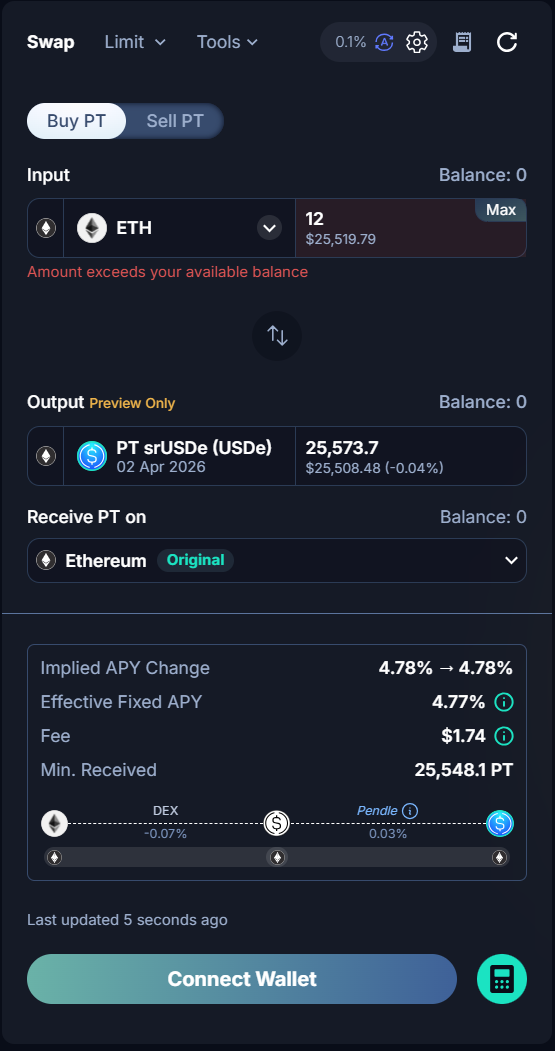
Buying PT — Funds on Same Chain, Receiving PT on Another Chain
Use this when your funds are on the same chain as the Pendle market, but you want to hold the PT on a different chain.
For example: you have USDC on Ethereum and want to buy PT-wstETH, but hold the PT on HyperEVM.
- Select your desired market and enter the amount.
- In the Receive PT on selector, choose your destination chain (e.g., HyperEVM).
- The app swaps your funds into PT on the source chain via Pendle, then bridges the PT to your chosen chain.
- Review the route in the trade preview — it shows the Pendle swap step followed by the bridge step.
- Approve and confirm. Your PT will arrive on the destination chain shortly after.
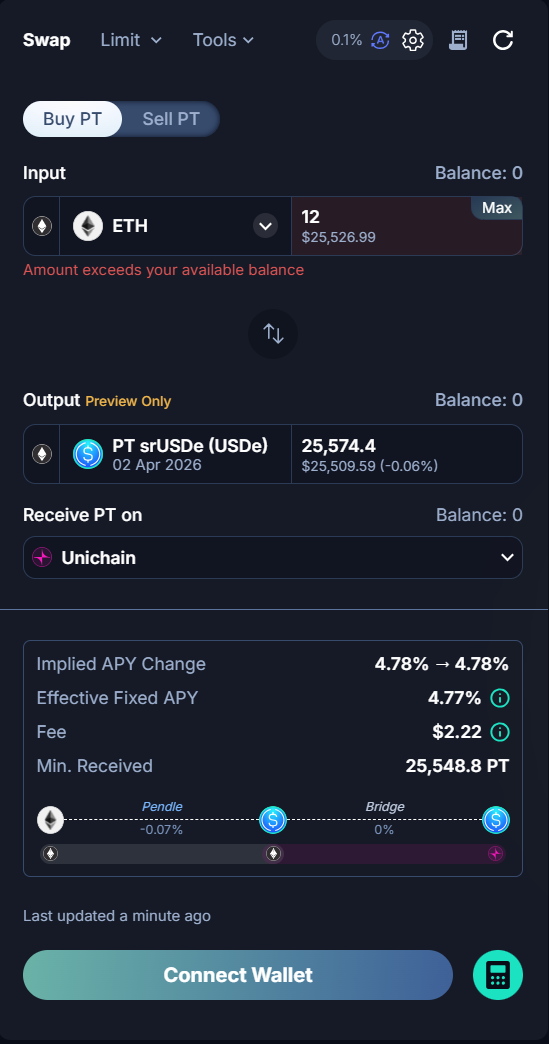
Buying PT — Funds on a Different Chain from the Market
Use this when your funds are on a completely different chain from the Pendle market.
For example: you hold USDC on HyperEVM and want to buy PT-wstETH, which lives on Ethereum, then hold the PT on HyperEVM.
- Select your desired market and enter the amount.
- In the Receive PT on selector, choose where you want to hold the PT.
- The app bridges your funds to the chain where the Pendle market lives, executes the swap, then bridges the PT back to your chosen destination chain.
- Review the full multi-step route in the trade preview.
- Approve and confirm.
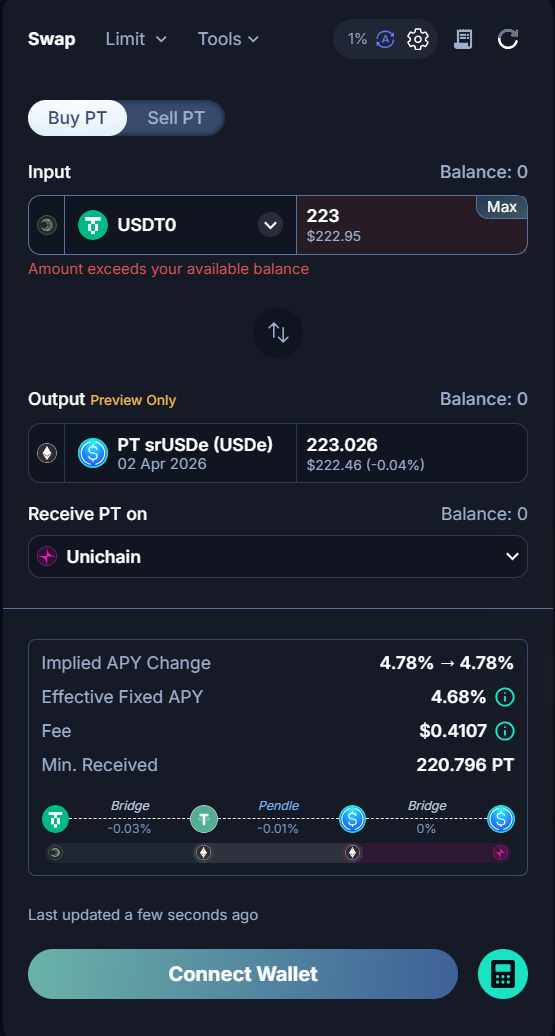
Selling PT Cross-Chain
The same cross-chain capability applies when selling PT. If you hold PT on one chain but want to receive your funds on another, the app handles the bridging and swap automatically. The full route is shown before you confirm.
Redeeming at Maturity
When your PT matures, you can redeem directly from the Dashboard — even if the PT is held on a different chain from the original Pendle market.
- Go to your Dashboard.
- Find your matured PT position.
- Click Redeem. If the PT is on a different chain, the app bridges it back and redeems in a single flow.
What Happens if a Transaction Fails
Cross-chain transactions involve multiple steps — a Pendle swap and one or more bridge operations. If a step fails, the outcome depends on how far the transaction progressed.
Failure Before Funds Leave Your Wallet
If the transaction fails at the first step, before any funds have moved, nothing changes. Your funds remain in your wallet and you can retry when ready.
Failure After Funds Have Left Your Wallet
If a later step fails after funds have already been sent — for example, the bridge step fails after the Pendle swap succeeded — you will see two options:
- Accept and Retry — re-attempts the failed step with updated rates. Use this if you still want to complete the transaction.
- Refund — returns your funds to your wallet. You will receive the funds in the token at the last successfully completed step. If the bridge failed, you may receive an intermediate token on the source chain.
When Only Refund Is Available
In some cases, retrying is not possible — for example, if the PT market is no longer available or no suitable route exists. Only the Refund option will be shown. Your funds will be returned to your wallet.
Note: Always review the full route and estimated fees in the trade preview before confirming any cross-chain transaction.