Limit Order
Guides
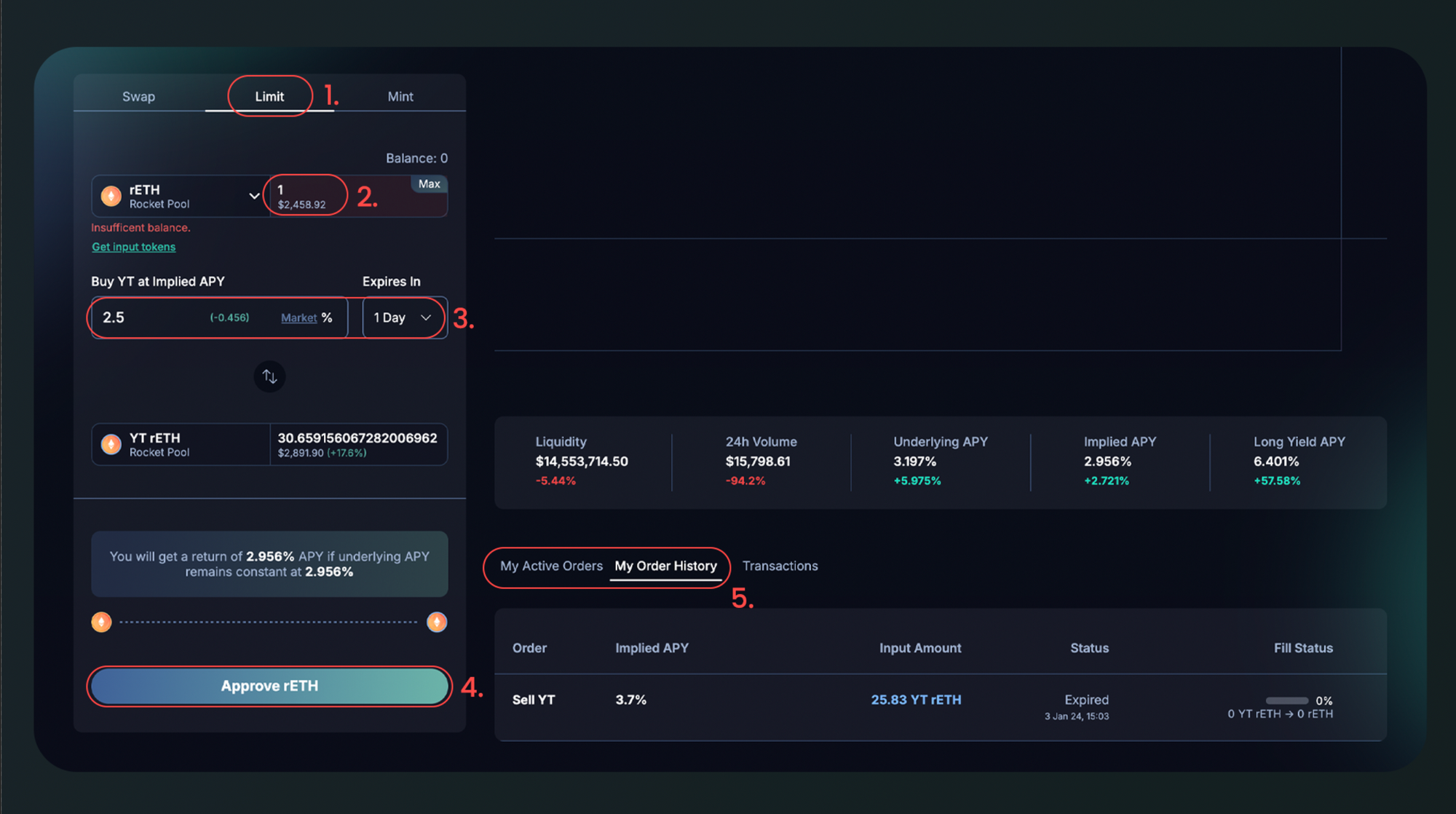
- Select your desired asset and navigate to the Limit tab
- Input the amount to set aside for limit-order. (Note: for orders to remain valid, your balance should not fall below the amount set here)
- Input your desired Implied APY and Order Expiry (Note: Order will not execute after the order expiry)
- Approve and submit your signature
- Your order status will be shown at My Active Orders table at the bottom of the page
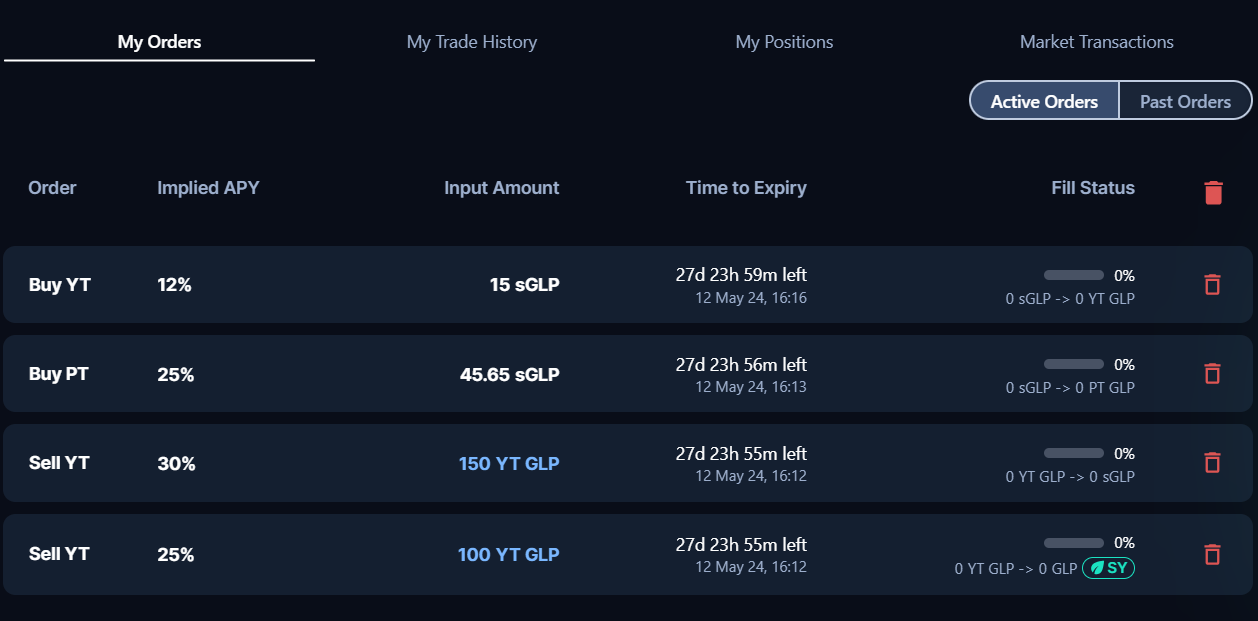
- To cancel your order, click on the red bin logo on the right
- Your order fill status is shown on the table until its expiry date, where it’ll be shown in My Order History table.
Multisig Step-by-Step Guide
Please make sure to keep both the placing limit order browser tab and the Safe Wallet browser tab always open throughout the placing limit order process.
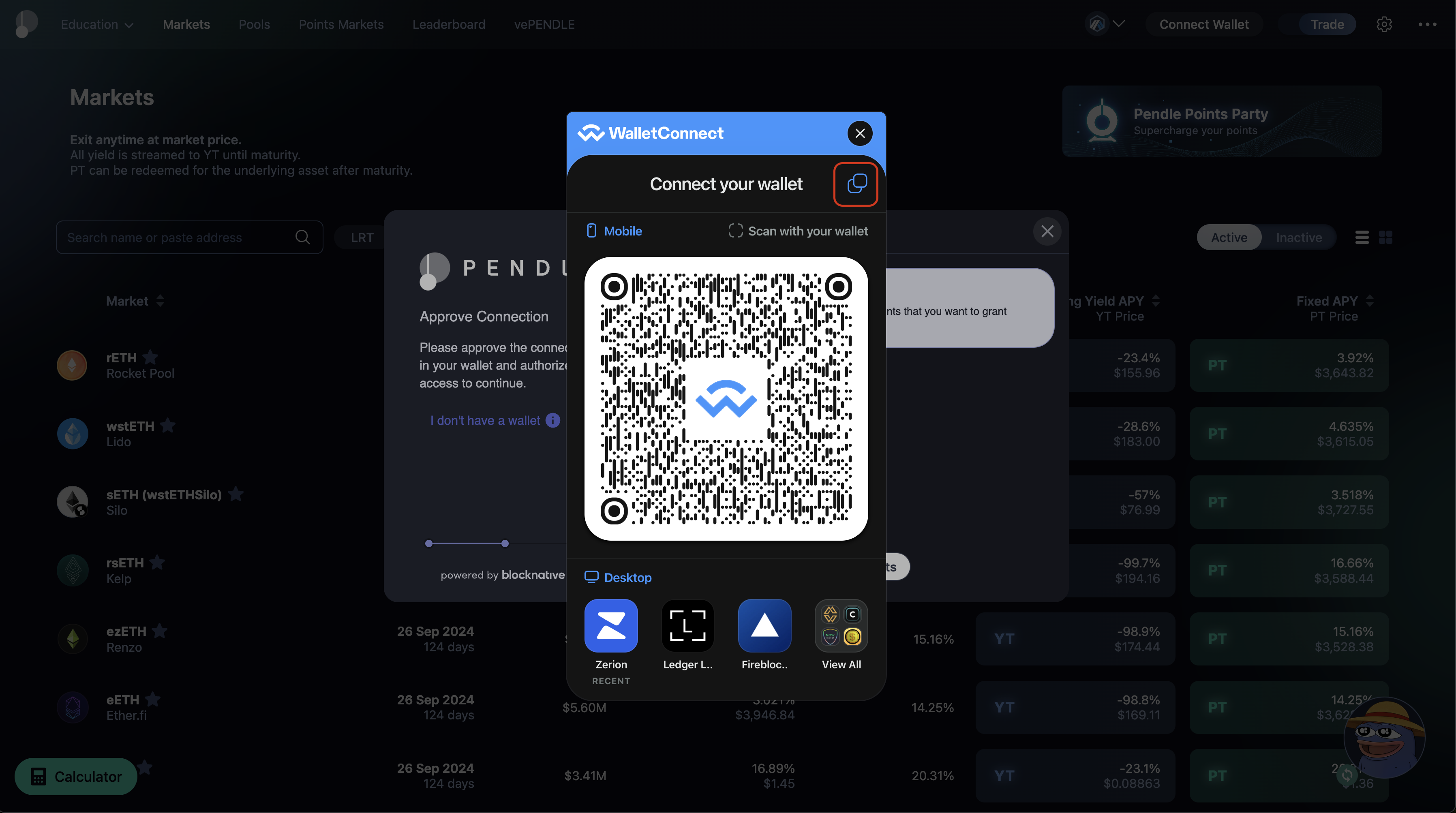
- Click “Connect Wallet” on the top right of the Pendle App.
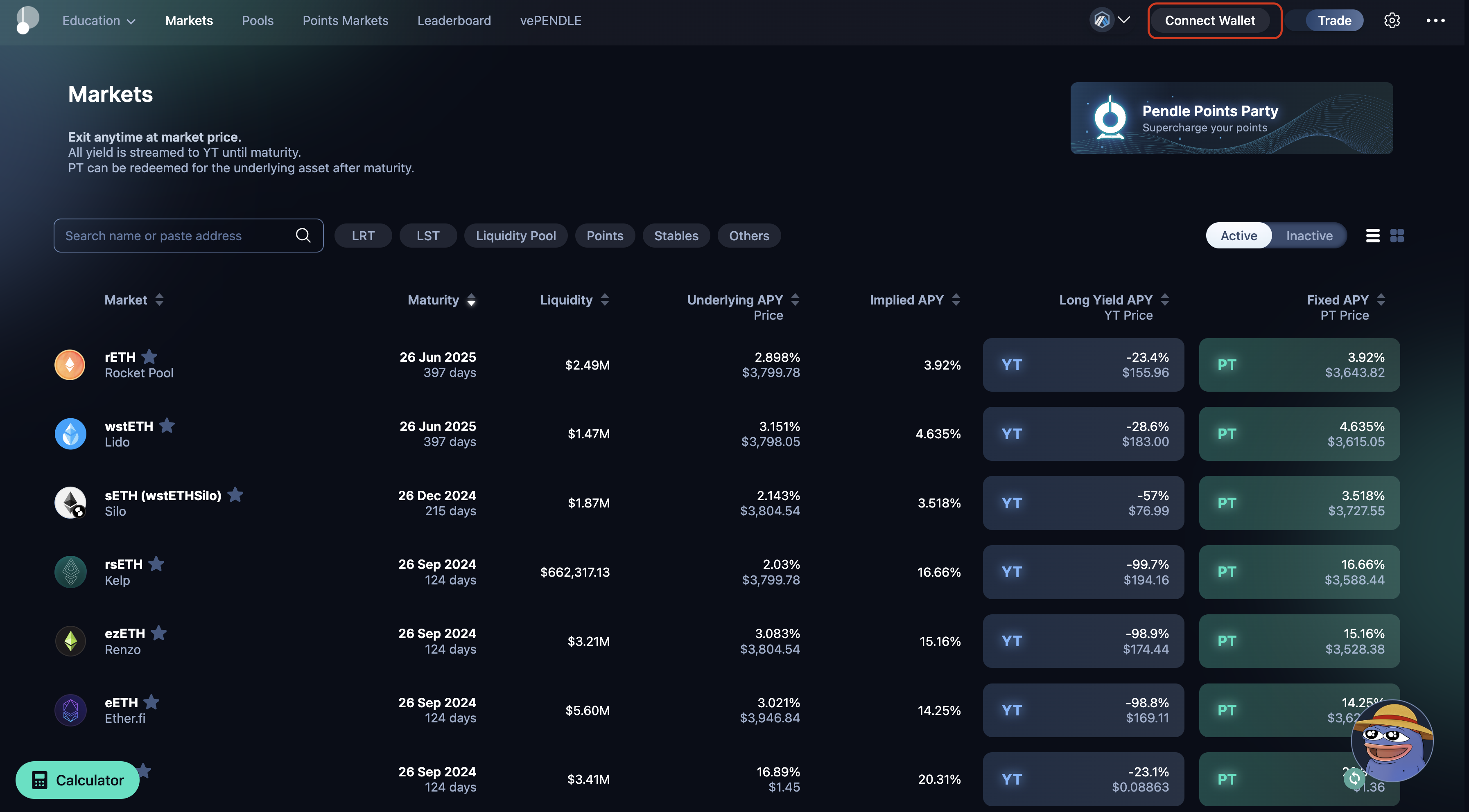
- Choose “WalletConnect”.
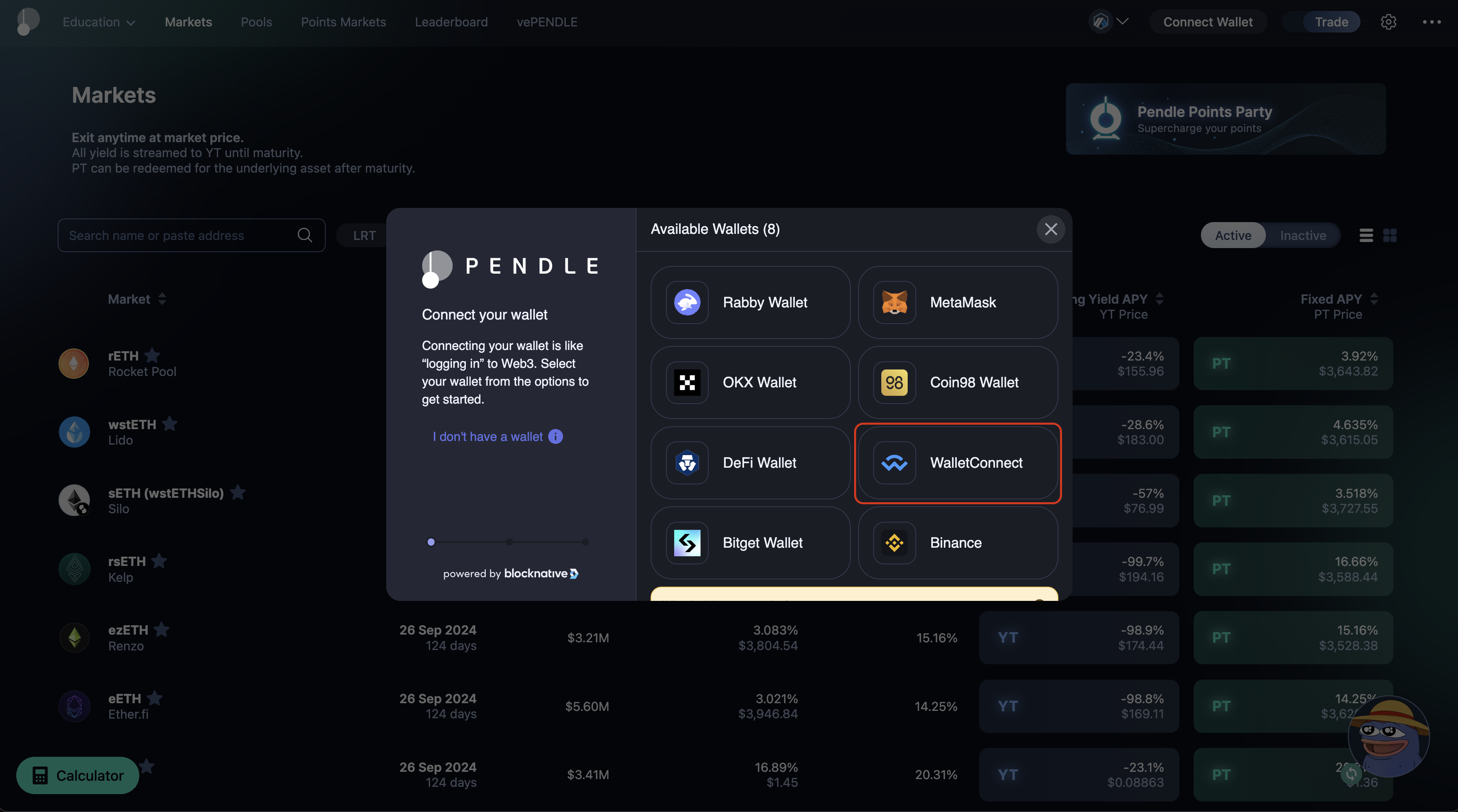
- Copy the pairing code from the pop-up.
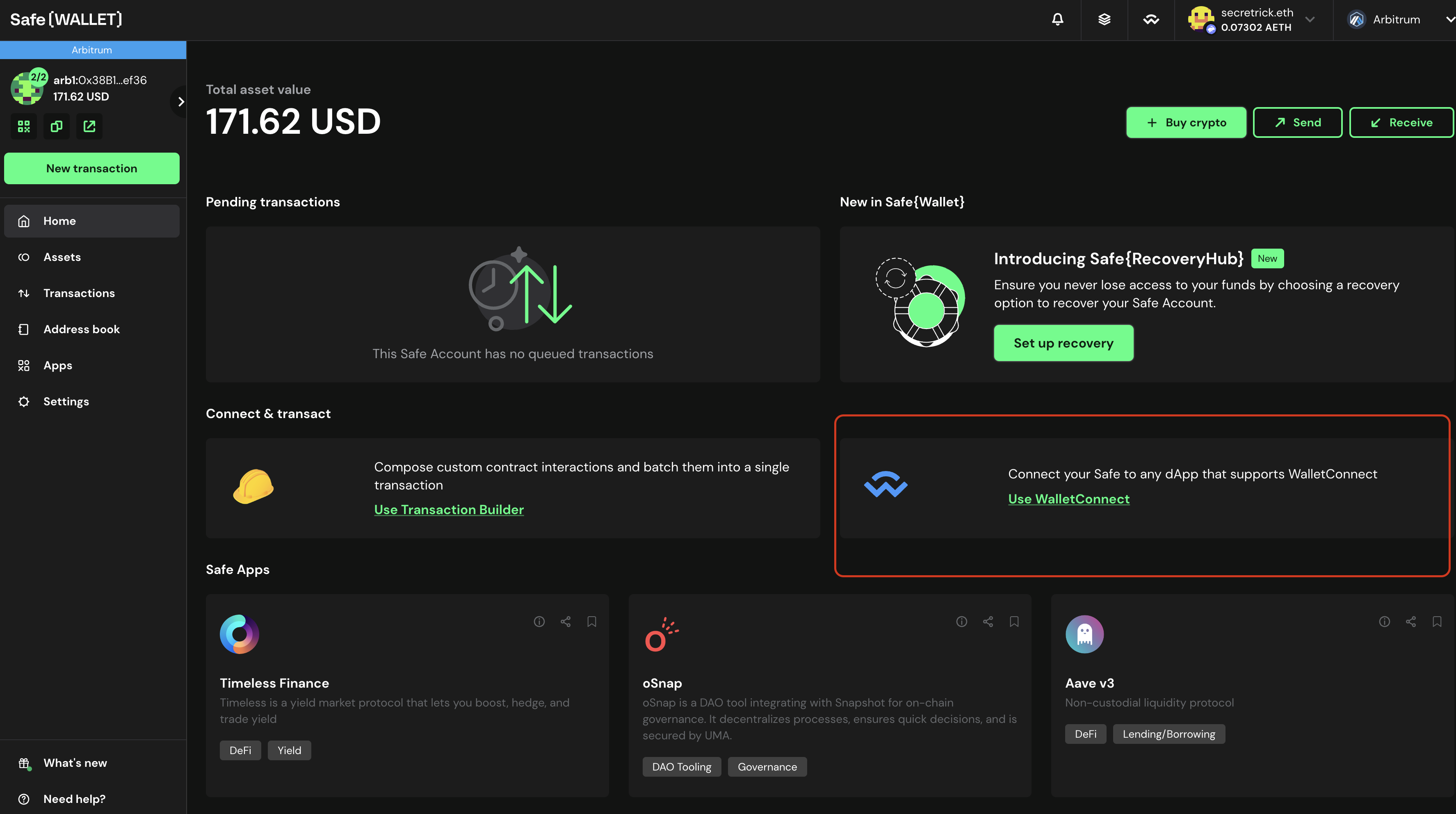
- On your Safe Wallet homepage, click on “Use WalletConnect”.
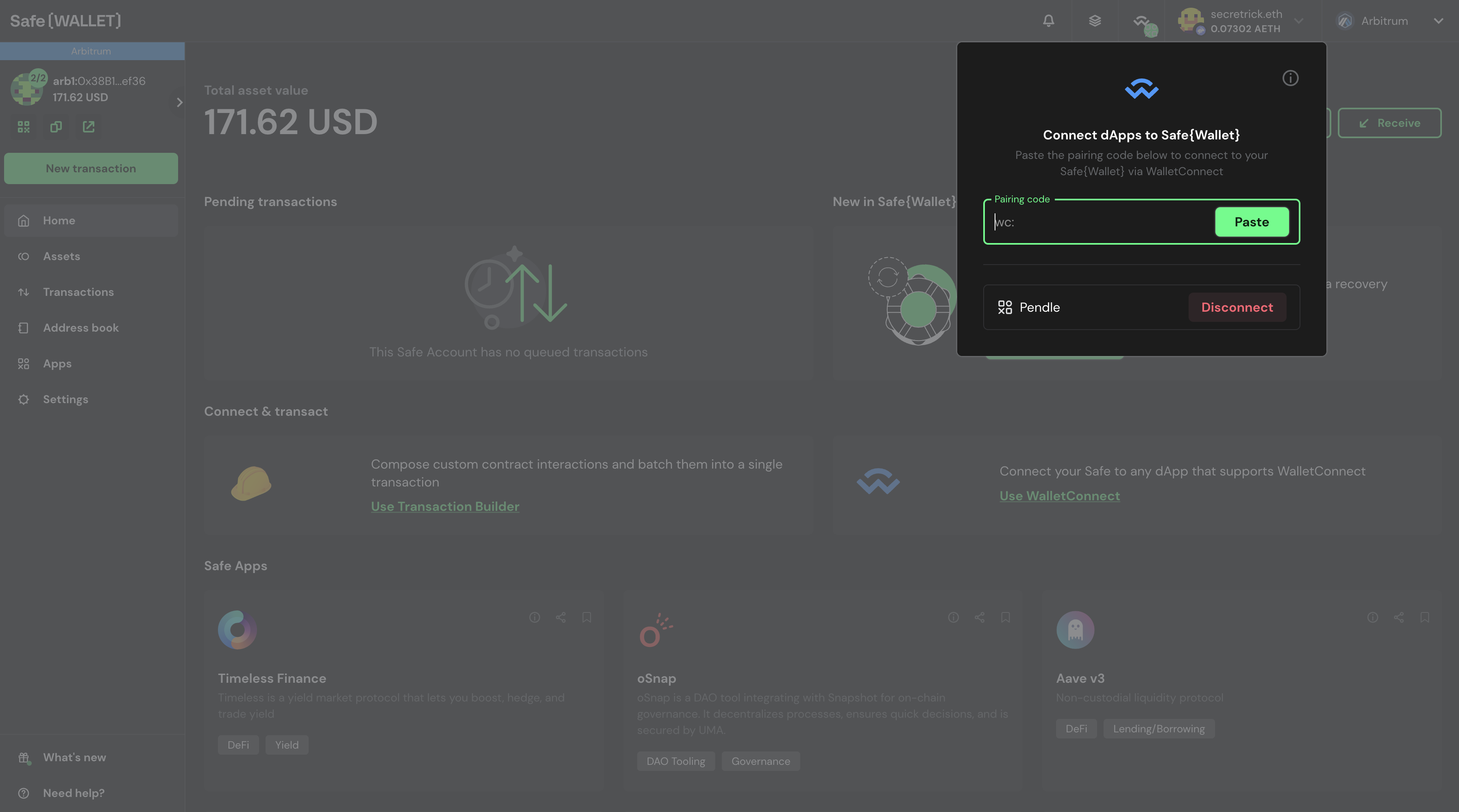
- Paste the copied pairing code from step 3 in the pop-up form.
After completing this step, your Pendle app is connected to the Safe Wallet.
- Place the limit order.
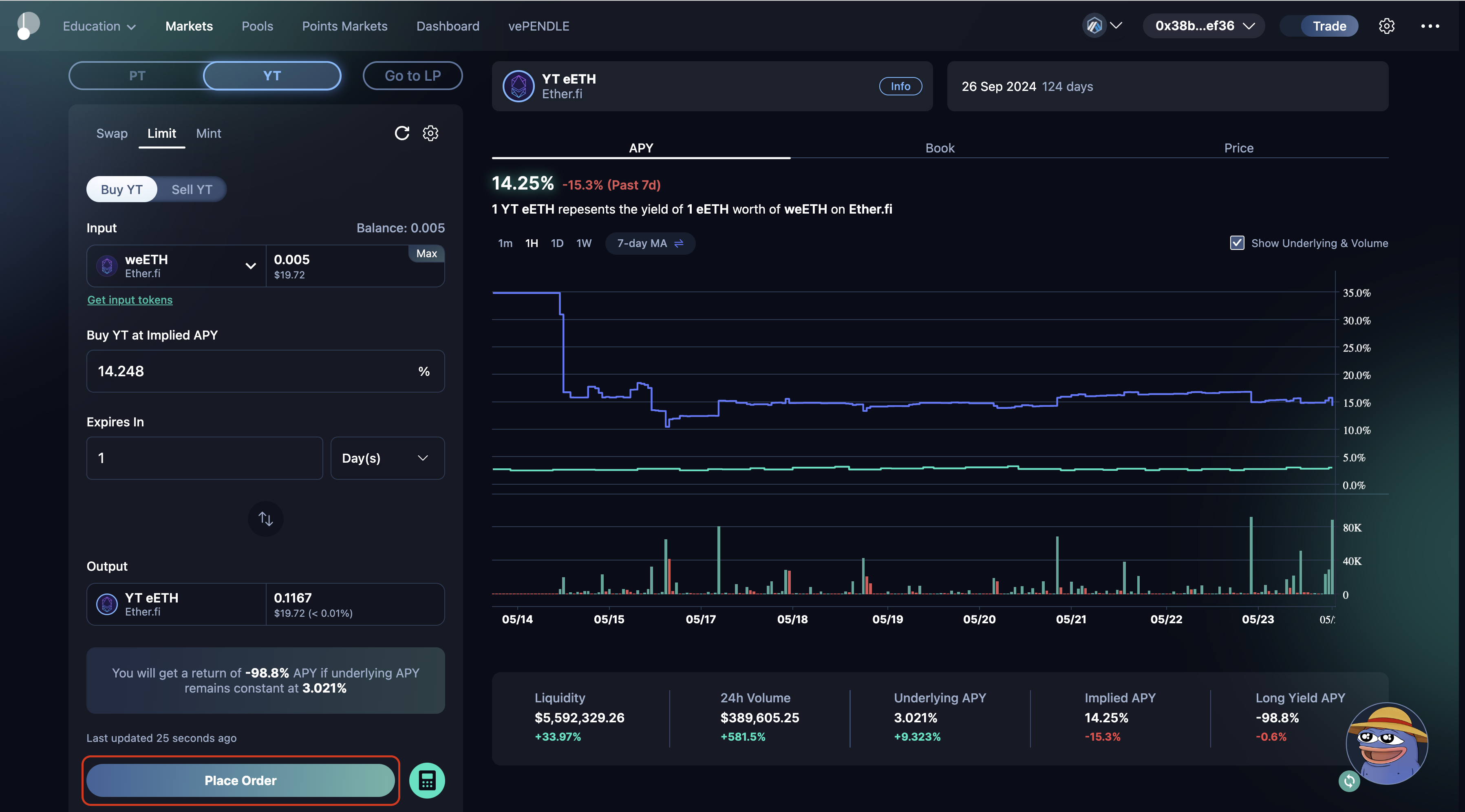
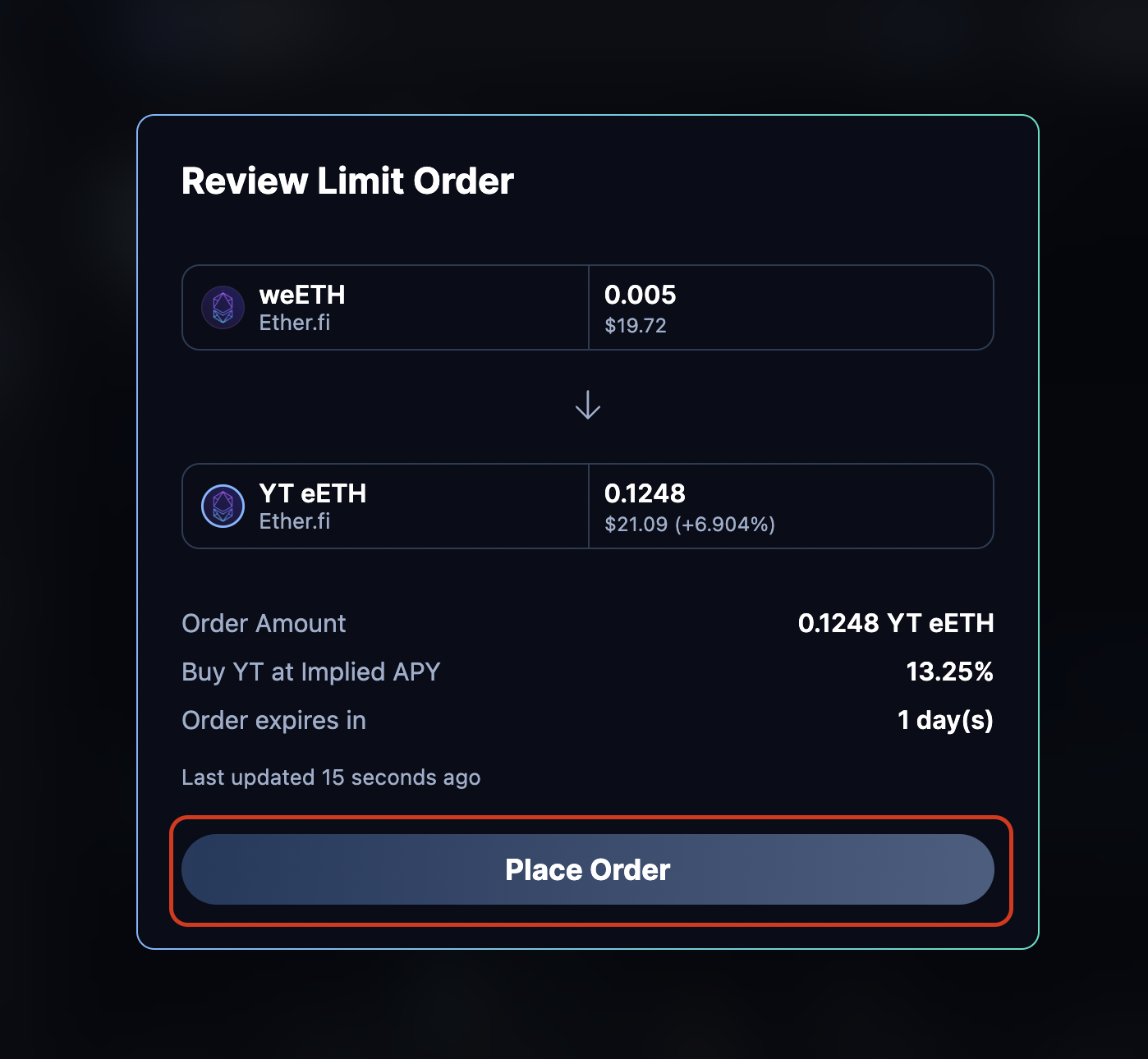
- Review the order and click “Place Order”.
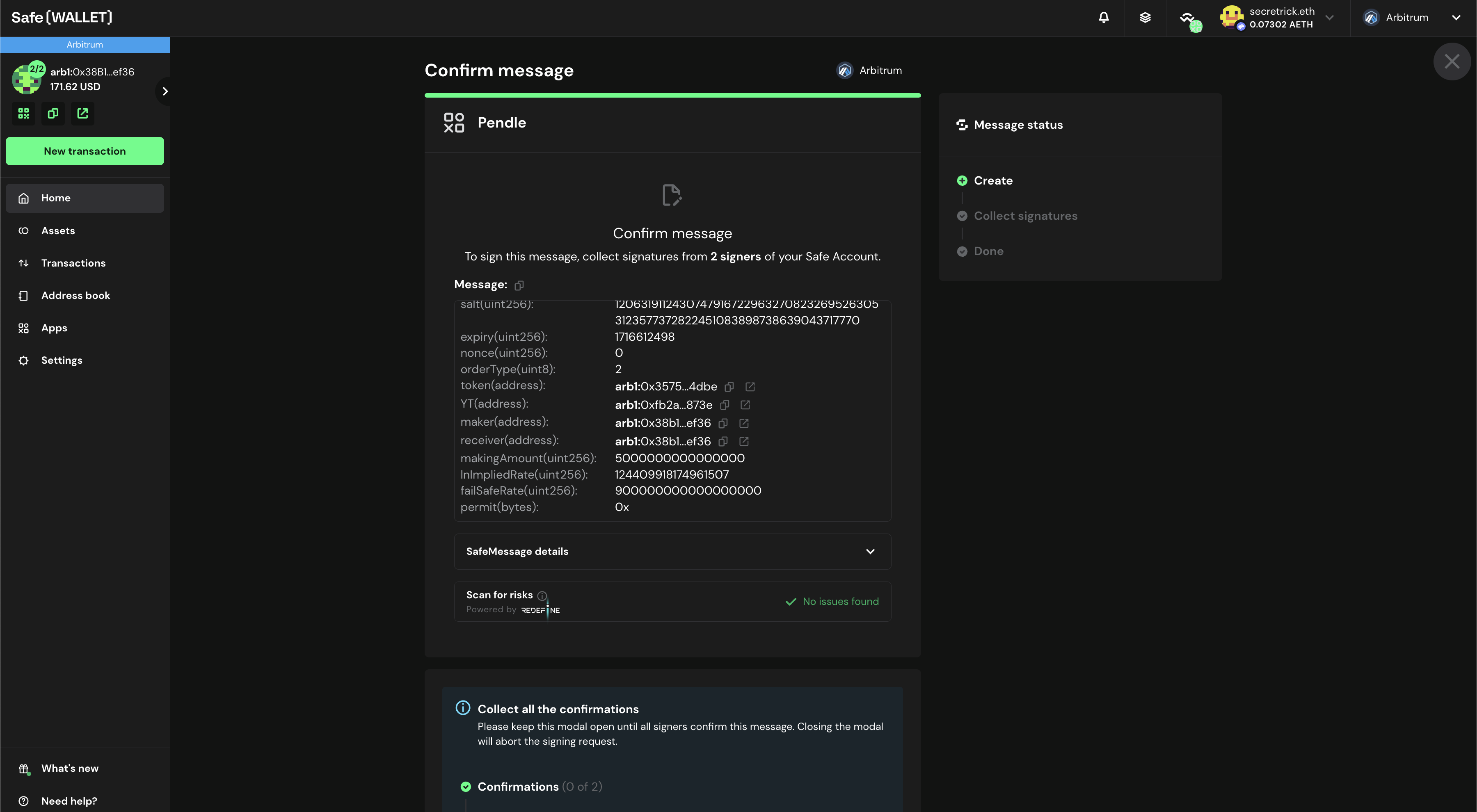
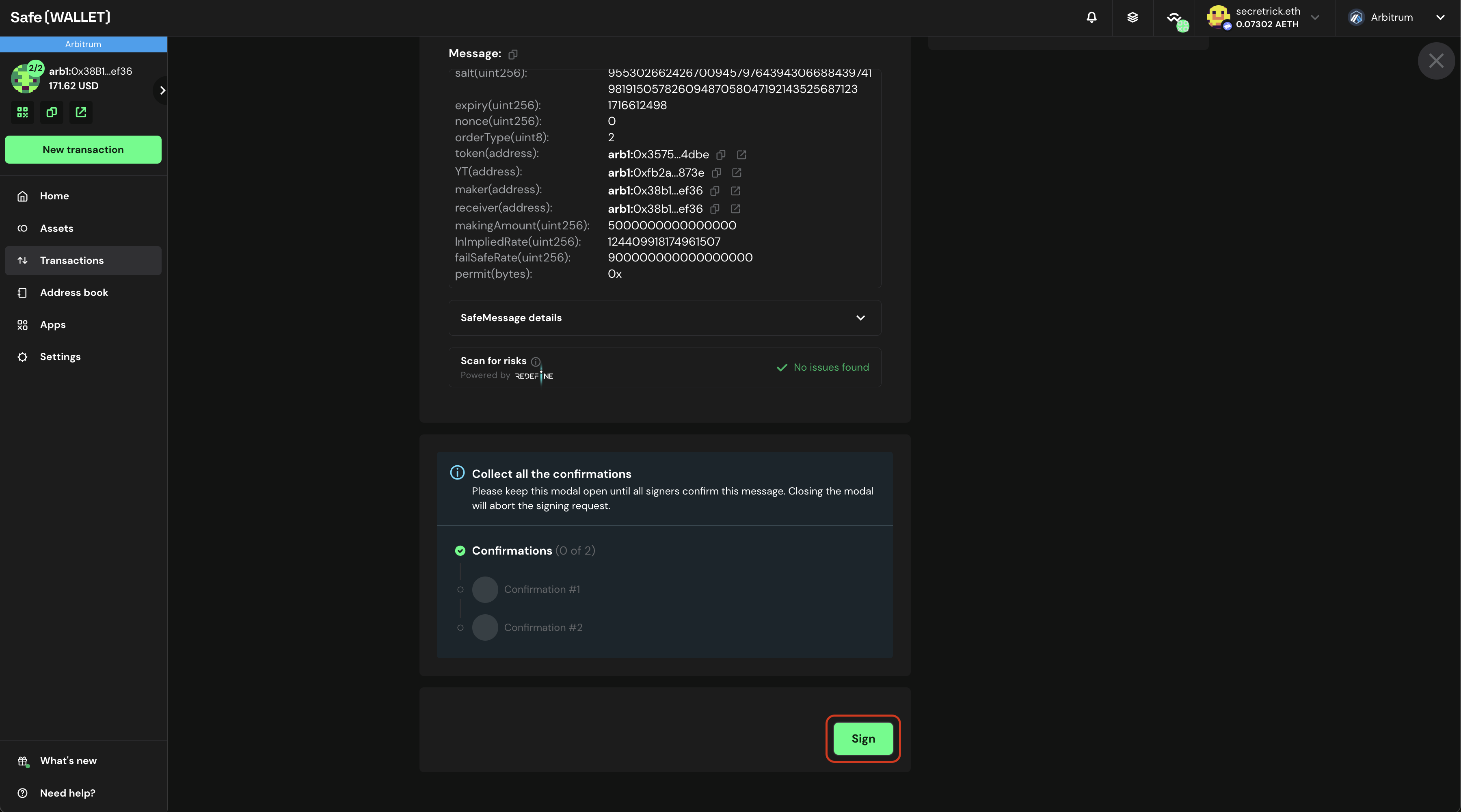
- After you click “Place Order” in step 7, a pop-up will appear on the Safe Wallet tab, requesting you to sign the order message and collect other signatures. Click the “Sign” button to sign the message and collect the required signatures from other signers.
After you collect enough signatures, the orders will be submitted to Pendle’s Limit Order system in a couple of seconds.
Please make sure to keep both the placing limit order browser tab and the Safe Wallet browser tab always open throughout the placing limit order process.
FAQ
Why is there a large gap between the AMM spot APY and the best bid in the orderbook, but no arbitrage is happening?
Arbitrage bot factor in fees from both the AMM and the orderbook when deciding whether to act. A trade is only profitable if the spread between the two exceeds the combined fees of both systems. For example, if the orderbook fee is 0.2% and the AMM fee is 0.15%, arbitrage will only occur when the spread exceeds 0.35%. Below that threshold, the trade would be unprofitable after fees, so no arbitrage takes place.
Why is only ~90% of my swap routed through the orderbook, even though it offers a better price?
This is by design. A small portion of every swap is always routed through the AMM as a safety buffer. Orderbook execution can occasionally result in dust amounts — tiny leftovers that are too small to process further. Without the AMM fallback, those dust amounts would either need to be returned to you (requiring an additional swap) or burned. By routing a small slice through the AMM, all funds are guaranteed to be fully utilized, since the AMM provides continuous liquidity at all times.